Let’s be honest—video editing can feel like an endless black hole of time.
You sit down to “quickly” cut a video, and suddenly it’s 2 a.m., your timeline looks like spaghetti, and you’re still tweaking transitions that no one will even notice.
Sound familiar? You’re not alone.
A recent survey found that the average YouTuber spends 7–10 hours editing a single 10-minute video. And if you’re editing for clients, brands, or your own content, that time multiplies fast. That’s hours you could’ve spent creating more content, engaging with your audience, or even—you know—actually sleeping.
Here’s the truth: editing doesn’t have to take forever.
Most creators waste time not because they’re “bad” editors, but because they don’t have a streamlined workflow. They’re relying on default settings, clicking through endless menus, and repeating tasks that could be automated or shortcut in seconds.
That’s exactly what this guide is going to fix.
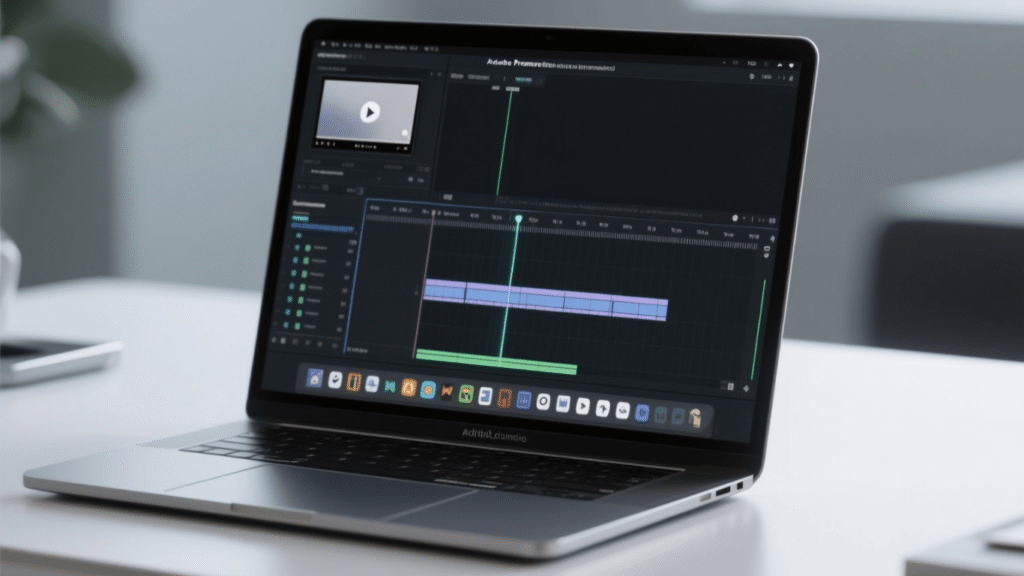
Over the next few minutes, I’ll walk you through a step-by-step system to edit videos faster in Adobe Premiere Pro—without sacrificing quality. You’ll learn how to set up your workspace for speed, master the right shortcuts, organize your files like a pro, and export videos without waiting around forever.
By the end, you’ll know how to cut your editing time in half (seriously).
And here’s the kicker: if you still feel editing eats too much of your creative energy, I’ll share a pro tip at the end on how to outsource your editing entirely—so you can focus on creating content, not cutting clips.
2. Why Editing Speed Matters
Time is the one resource you can’t get back. And in the world of video, lost time equals lost growth.
Think about it: the more time you spend stuck in the editing chair, the fewer videos you publish. And fewer uploads mean fewer opportunities for views, subscribers, and revenue. In today’s attention economy, speed directly impacts visibility.
Let me give you an example.
I recently came across two creators in the same niche—both started their YouTube channels around the same time, both had similar content quality. But here’s the difference:
- Creator A spent 12+ hours editing each video. He managed to upload only 2 videos a month.
- Creator B refined his workflow and cut editing time in half. He uploaded 6–8 videos a month.
Fast-forward one year: Creator B had tripled his subscriber count, landed sponsorship deals, and was earning steady ad revenue. Creator A? Still struggling to gain traction.
This is the amateur vs. professional workflow gap. Amateurs let editing control their schedule. Professionals control the process, systemize it, and ship content faster.
And let’s be clear—faster editing doesn’t mean sloppy editing. It means working smarter: building a repeatable system that lets you focus on storytelling instead of fighting with software.
If growth, income, and impact are your goals, then mastering speed is non-negotiable.
3. Setting Up Your Workspace for Speed
Before you even cut your first clip, your workspace setup can make or break your editing speed. Think of it like cooking: if your kitchen is messy, even boiling pasta takes forever. But when your tools are organized, you move faster without even trying.
In Adobe Premiere Pro, the default workspace is designed to “fit everyone.” That’s the problem—it’s not optimized for you. By customizing your layout and leveraging presets, you can eliminate wasted clicks and speed up your workflow instantly.
3.1 Customize Premiere Pro Layout
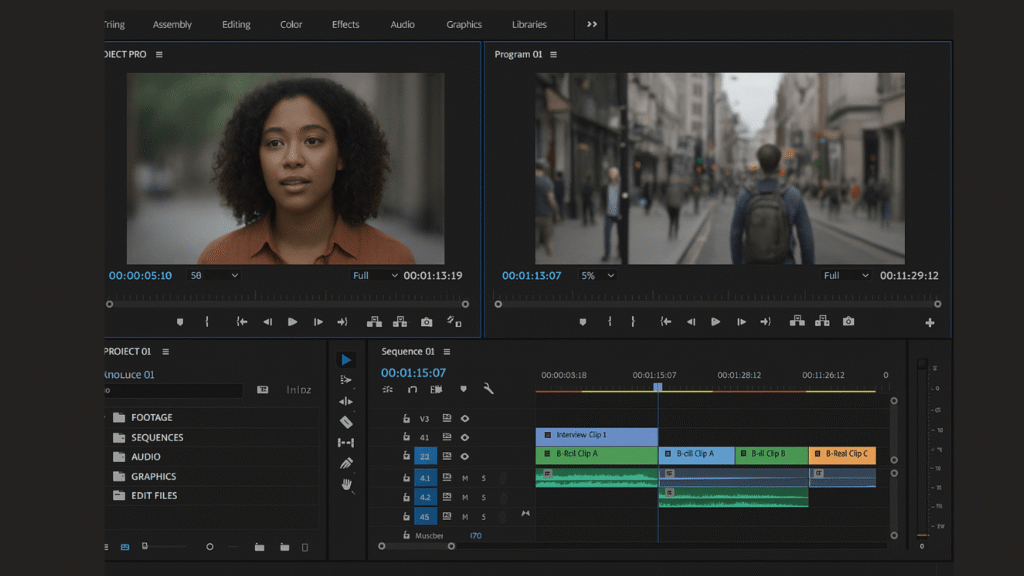
Here’s a harsh truth: if you’re constantly clicking through menus or dragging panels around, you’re bleeding time.
The solution? Build a custom layout that fits your editing style. For example:
- Keep your timeline panel large (since you’ll spend 80% of your time there).
- Place your effects and Lumetri color panels on the right side for quick access.
- Dock your media bins and essential sound panel in one place so you’re not hunting around.
Premiere Pro even lets you save custom workspaces. Once you’ve arranged your panels exactly how you like, go to:Window → Workspaces → Save as New Workspace.
Now every time you open Premiere, your tools are exactly where you need them—no wasted motion.
This small change might feel subtle, but shaving just 5 seconds off every action adds up to hours saved per project.
3.2 Use Presets & Templates
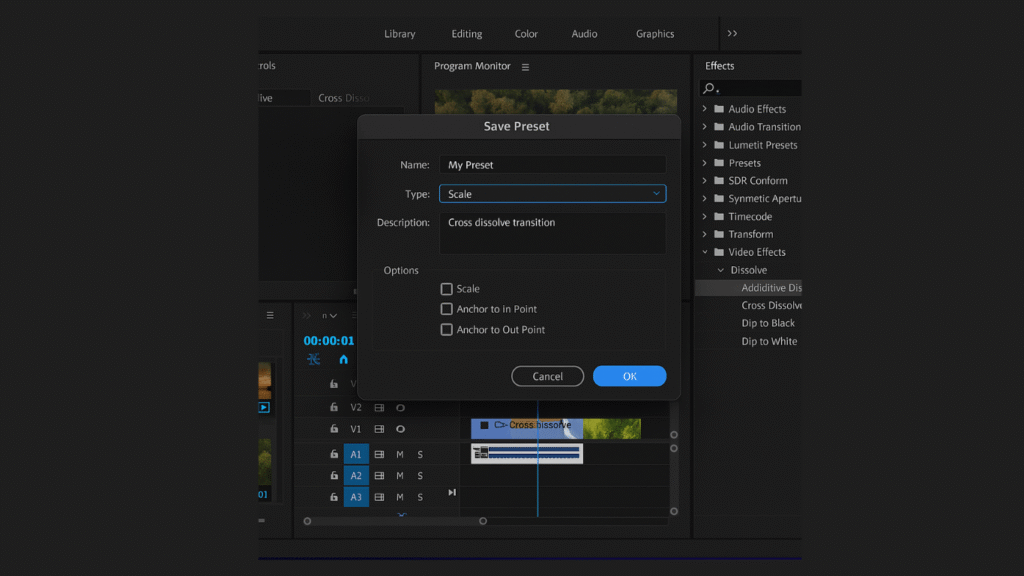
Here’s another editing killer: repeating the same steps over and over. Adding your favorite transition manually 30 times in one project? Total waste.
Instead, lean on presets and templates. Premiere Pro allows you to:
- Save effect presets (color grading, audio EQ, transitions). Just right-click an effect → “Save Preset.”
- Use MOGRT templates (motion graphics templates) for intros, lower-thirds, and outros. Drag, drop, and customize in seconds.
- Create export presets so you’re not fiddling with settings every single time.
Think of presets as your personal editing “shortcuts.” Once you build them, you’ll never start from scratch again.
Here’s the kicker: pros don’t edit everything from zero. They build systems. Templates make your edits consistent, professional, and lightning fast.
4. Mastering Keyboard Shortcuts
If you want to edit faster, your mouse is holding you back. Every time you reach for it, you’re losing micro-seconds. Over an entire project, that adds up to hours wasted. The fastest editors aren’t necessarily more talented—they just rely on keyboard shortcuts like a second language.
Learning (and customizing) shortcuts is one of the biggest productivity boosts you can make in Adobe Premiere Pro. Let’s break it down.
4.1 Essential Shortcuts
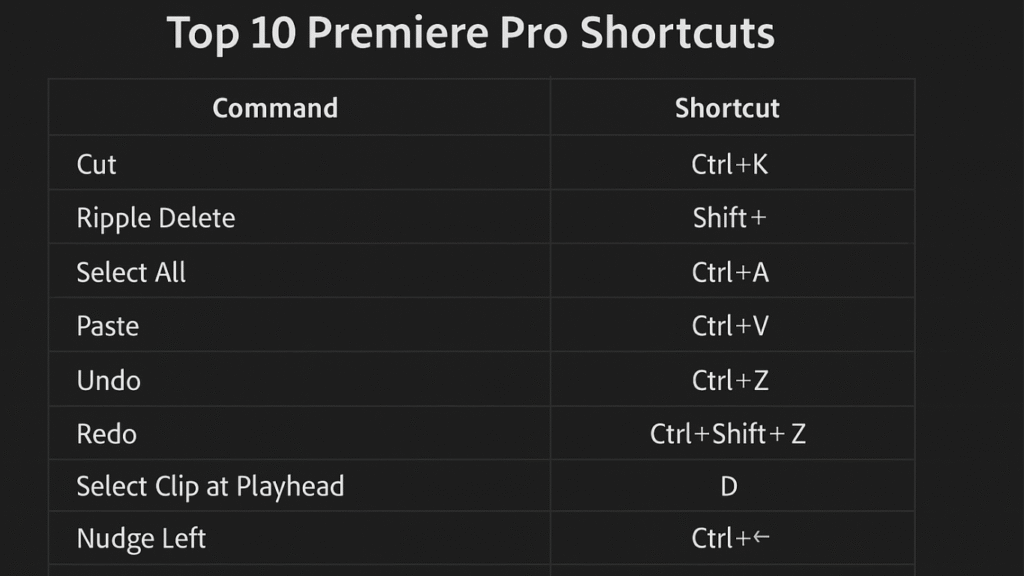
There are dozens of shortcuts in Premiere, but you don’t need to memorize them all. Focus on the ones that speed up your most common actions:
- C = Razor Tool → Cut clips instantly.
- V = Selection Tool → Jump back after cutting.
- Q = Ripple Trim (start) → Delete everything before the playhead.
- W = Ripple Trim (end) → Delete everything after the playhead.
- Shift + Delete = Ripple Delete → Close gaps automatically.
- Cmd/Ctrl + K = Add Edit → Split a clip without switching tools.
- Cmd/Ctrl + Z = Undo → Lifesaver.
- Spacebar = Play/Pause → Navigate quickly.
- Arrow Keys = Nudge Clips → Fine adjustments.
- Cmd/Ctrl + M = Export → Jump straight to export.
Now imagine: instead of 10 clicks and drags, you hit one key. Multiply that by hundreds of actions in a project, and suddenly you’ve saved 30–40 minutes per edit.
4.2 Customizing Shortcut
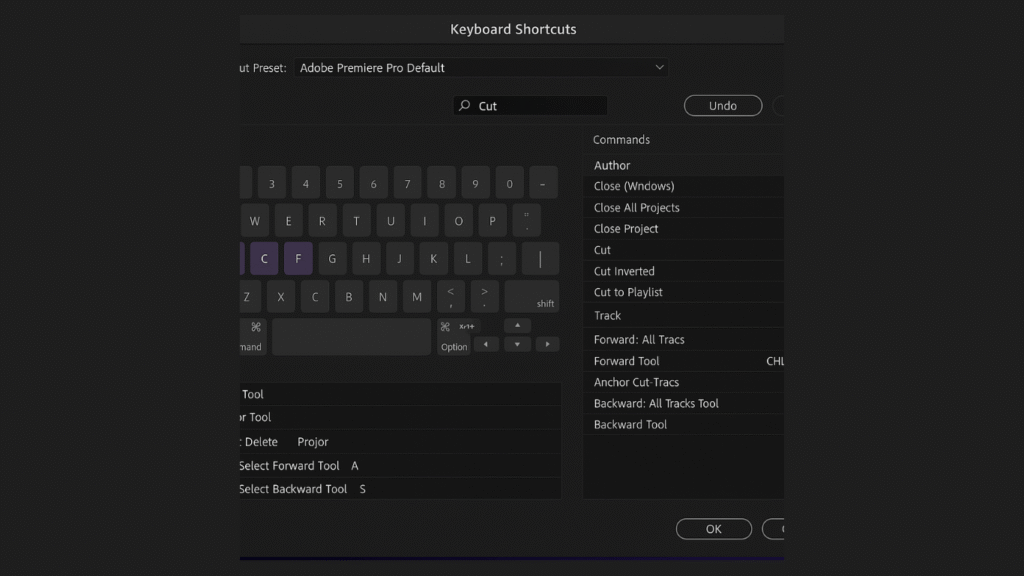
Here’s the thing: the default shortcuts are good, but they’re not perfect. Every editor has different habits, and your shortcuts should match your style.
Premiere Pro gives you a Keyboard Shortcuts Editor (press Cmd/Ctrl + Alt + K) where you can reassign any function to any key.
Pro editors often remap their most-used tools closer together. For example:
- Map Ripple Delete to the “D” key for quick access.
- Put Add Marker on “M” (easy to remember).
- Move trimming tools closer to your left hand so you’re not stretching across the keyboard.
The goal is to eliminate finger gymnastics. When your hand barely moves and everything you need is one key away, your editing flow feels effortless.
Tip: print out your custom shortcut map and keep it near your desk until it’s second nature.
5. Smarter Importing & Organization
You know what slows down most editors? Chaos. If your footage is scattered all over your hard drive, or if your Premiere timeline looks like a messy garage sale, you’re guaranteed to waste time hunting instead of editing.
The pros don’t just edit—they organize before they edit. A smart importing system sets the foundation for a faster, stress-free workflow.
5.1 Organize with Bins & Labels
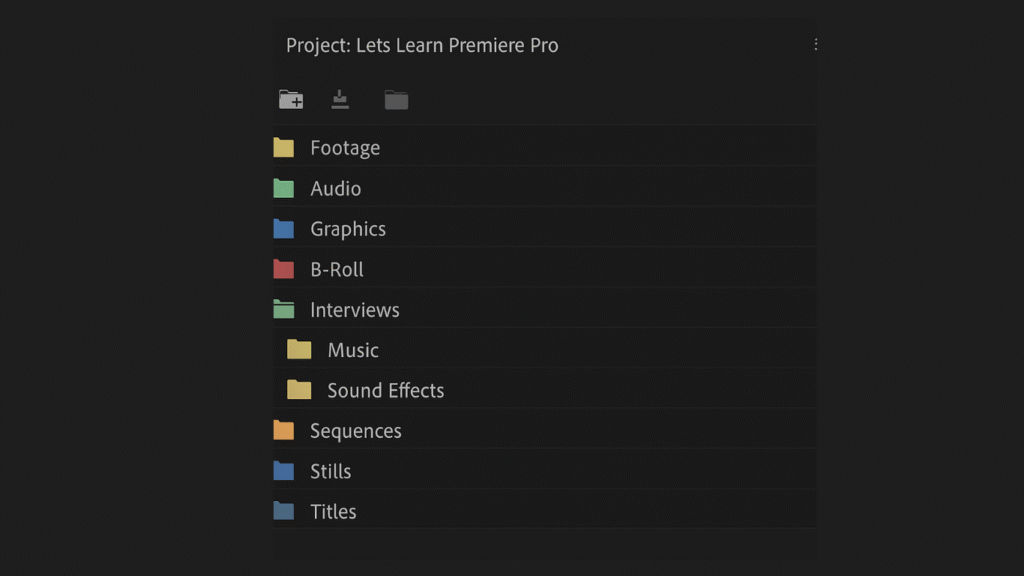
Think of bins in Premiere Pro like folders on your computer. They keep everything in its place so you can find it instantly. Instead of dumping all your clips into one panel, separate them into bins:
- Footage (with subfolders for each shoot day or camera angle).
- Audio (voiceovers, music, sound effects).
- Graphics (logos, intros, templates).
- Sequences (rough cuts, final edits).
Color coding is another underrated hack. Premiere lets you apply labels to clips (right-click → Label). For example: green for talking-head shots, yellow for B-roll, red for audio. When your timeline is color-coded, you’ll navigate it at lightning speed.
This one step eliminates the endless “Where did I put that clip?” problem that eats up hours in amateur workflows.
5.2 Use Proxies
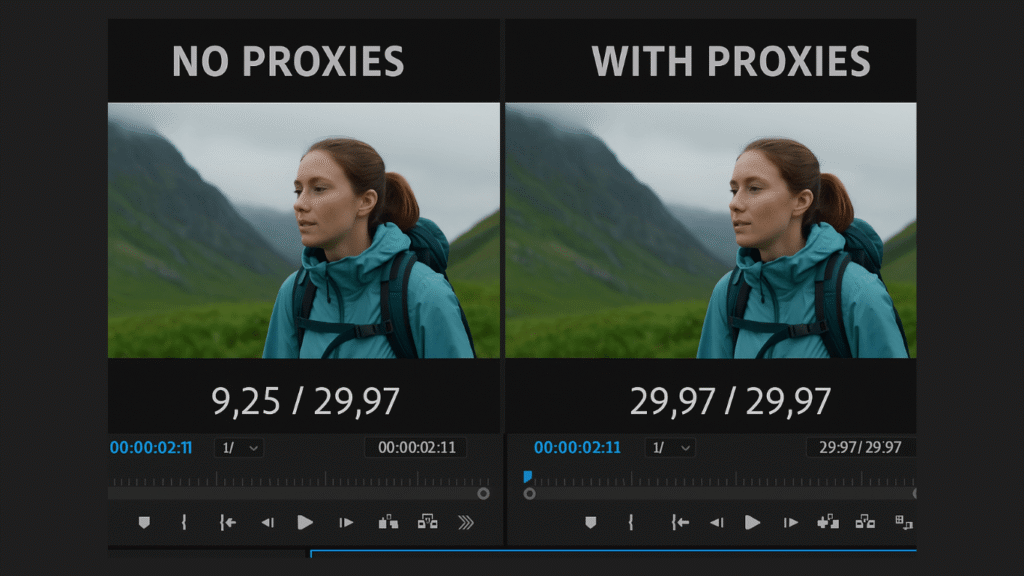
Here’s the painful truth: if your computer lags every time you hit play, your editing speed tanks. And if you’re working with 4K or 6K footage, playback can turn into a nightmare.
Enter proxies—lower-resolution versions of your footage that Premiere swaps in while you edit. They look the same in your timeline, but they’re much easier on your machine.
Setting them up is simple:
- In the Import window, check Create Proxies.
- Choose a lightweight preset (like 1024×540).
- Edit seamlessly without lag.
- When exporting, Premiere automatically switches back to the full-quality files.
The result? Smooth playback, quicker scrubbing, and less frustration. Instead of waiting for your machine to catch up, you stay in the creative flow.
6. Efficient Editing Workflow
Editing faster isn’t about rushing—it’s about working smarter. Once your workspace and organization are solid, it’s time to focus on your workflow inside the timeline. This is where most creators waste the bulk of their hours, either by repeating the same steps or fiddling with details that could be automated.
Let’s look at three workflow hacks that can save you massive amounts of time.
6.1 Timeline Hacks
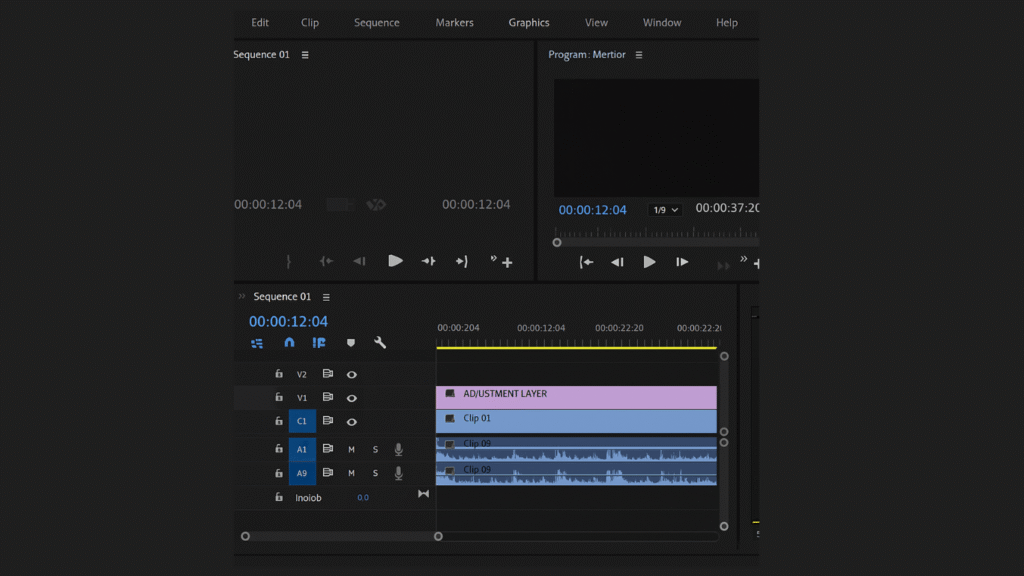
Your timeline is where the magic happens—and where the chaos usually begins. If your timeline is messy, you’ll constantly waste time zooming in, dragging clips, and making micro-adjustments.
Here are a few pro hacks to keep it efficient:
- Enable Snapping (S key): This makes clips automatically “snap” into place instead of leaving awkward gaps.
- Use Adjustment Layers: Instead of applying effects or color grading to 20 clips individually, drop one adjustment layer on top. One tweak, and everything below it updates.
- Nest Sequences: Group sections of your edit (like an intro or B-roll montage) into a single “nest” so your timeline stays clean and manageable.
- Markers for Navigation: Hit “M” to mark key points (like music beats or dialogue). This saves tons of scrubbing back and forth.
When your timeline is structured and clean, editing feels less like chaos and more like a flow state.
6.2 Automate Repetitive Tasks
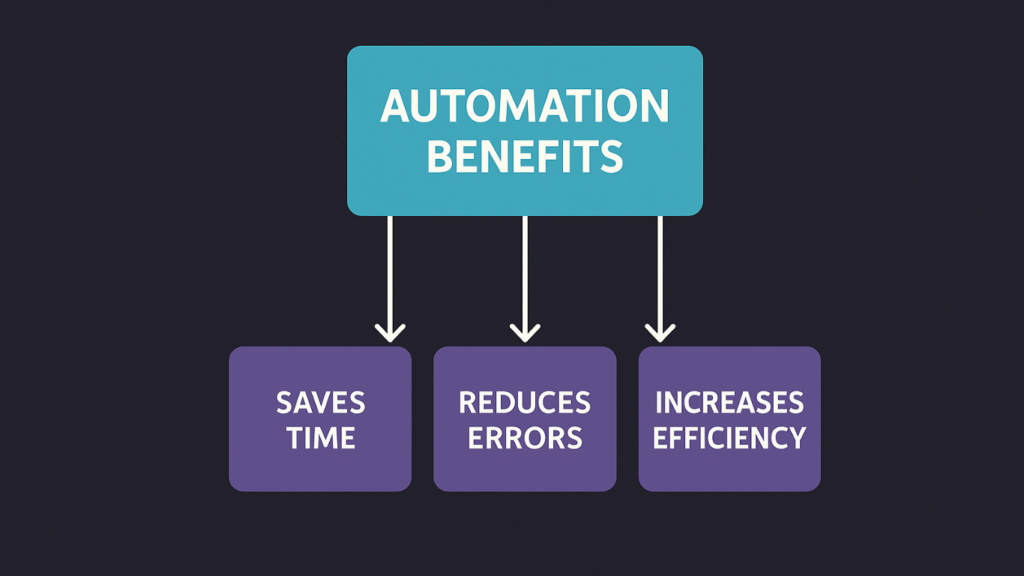
Repetition kills speed. If you find yourself doing the same thing over and over—adding the same transition, resizing clips, or syncing audio—stop and automate it.
A few ways to do this in Premiere Pro:
- Presets: Save your frequently used effects as presets.
- Auto Reframe: Instantly resize videos for multiple platforms (YouTube, TikTok, Instagram).
- Replace with After Effects Composition: For advanced animations, edit once and update everywhere automatically.
These automations don’t just save time—they keep your workflow consistent across projects.
6.3 Speed Up Audio Editing
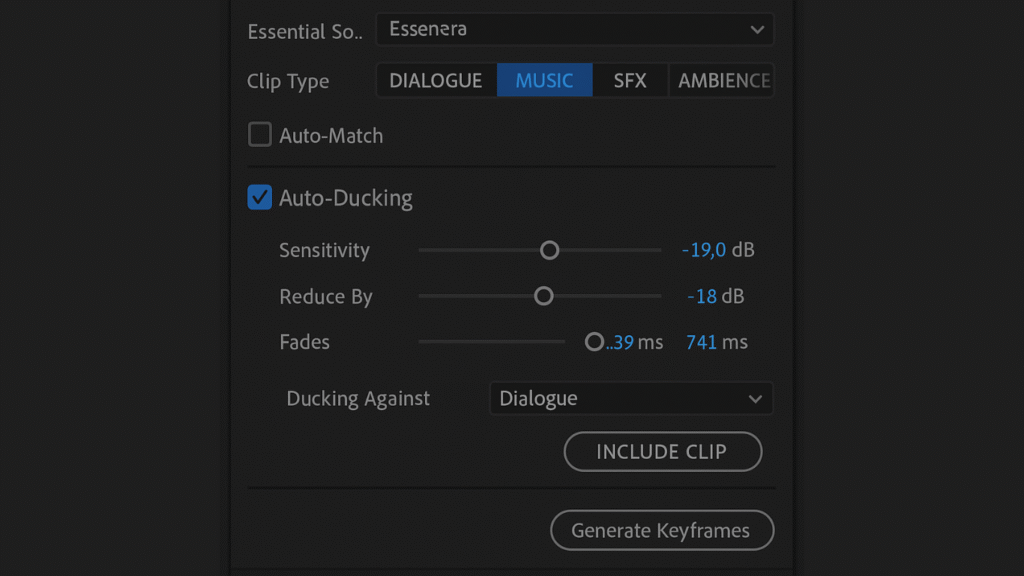
Audio often gets overlooked, but cleaning it up can eat hours if you’re not careful. Thankfully, Premiere has built-in tools to simplify this.
- Essential Sound Panel: Tag audio as Dialogue, Music, or SFX. Premiere will auto-apply smart settings like noise reduction or clarity.
- Auto-Ducking: If you’re mixing voiceover with background music, enable auto-ducking. Premiere lowers the music volume whenever someone speaks—no manual keyframing required.
- Presets for EQ/Compression: Save your “perfect podcast voice” settings once and reuse them.
These tricks not only speed up editing but also make your audio sound more professional with minimal effort.
7.1 Save & Reuse LUTs
If you’ve ever spent 30 minutes tweaking shadows, mids, and highlights only to realize you need that same look on 20 more clips, you know the pain. The fix? LUTs (Look-Up Tables).
LUTs are basically pre-made color presets. Once you’ve dialed in a look you love, save it as a custom LUT or use a professional one. Then, with a single click, you can apply it across your entire project.
This does two things:
- Saves you massive amounts of time.
- Keeps your color consistent from start to finish (no weird mismatches between shots).
Most pros have a library of go-to LUTs for different moods—cinematic, bright and clean, dramatic. Instead of grading from scratch, they pick the vibe and move on.
7.2 Adjustment Layers for Grading
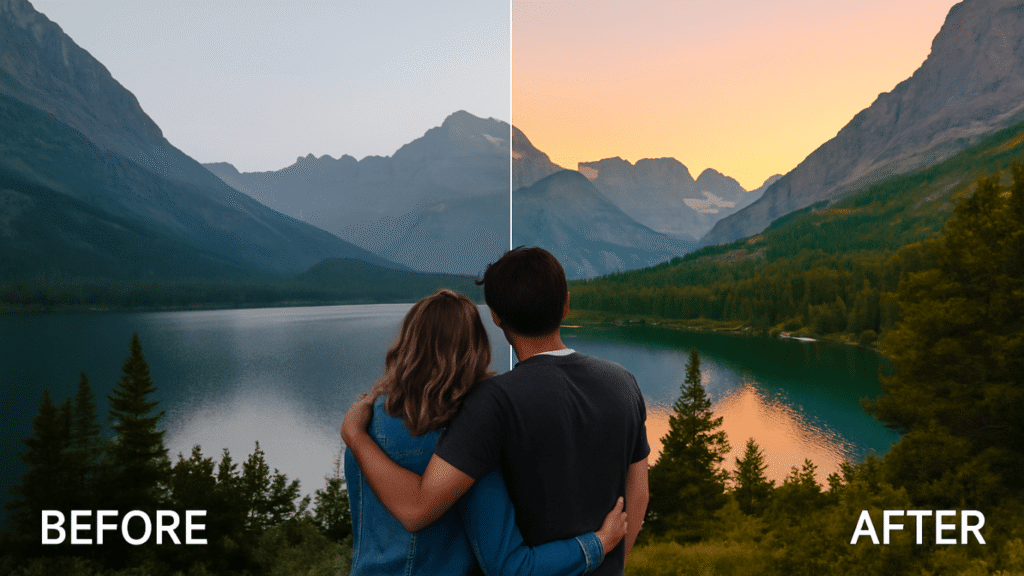
Here’s the golden rule: never grade clips individually if you don’t have to.
Instead, apply your color corrections and effects to an adjustment layer above your footage. That way, every clip underneath gets the same treatment. Need to tweak saturation or contrast later? Change it once on the adjustment layer instead of 30 separate clips.
This not only saves time but also keeps your timeline organized. Plus, if you want to compare the raw vs. graded look, you can just toggle the adjustment layer on or off.
Think of adjustment layers as your “master switch” for grading. Clean, efficient, professional.
8. Faster Exporting & Rendering
You’ve spent hours polishing your edit, and now it’s time to export. But here’s the kicker: exporting can take just as long as editing if you’re not careful. Slow exports don’t just waste time—they kill momentum. The good news? With the right tools and settings, you can slash render times and get your videos live faster.
8.1 Use Media Encoder
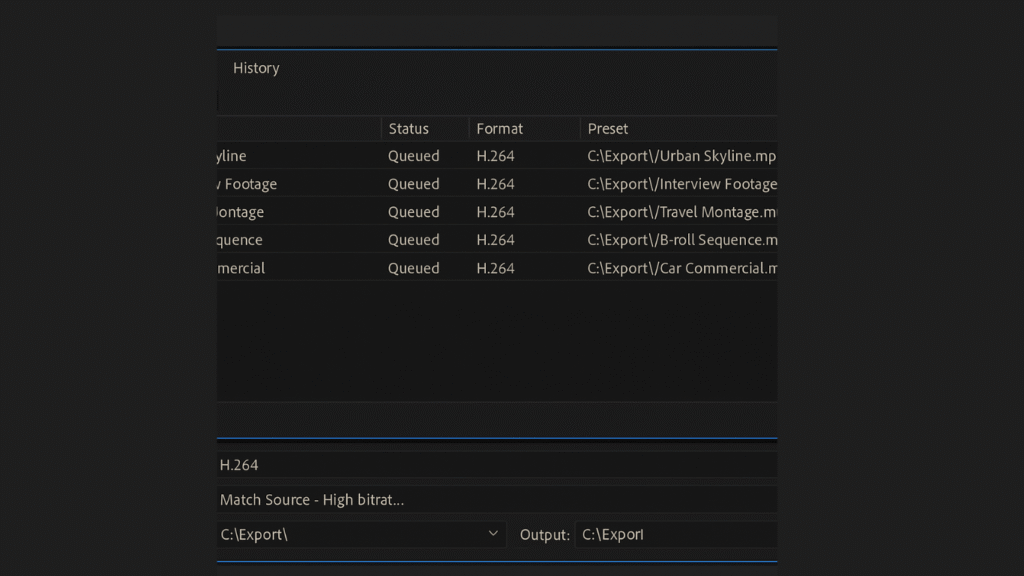
Most beginners hit “Export” directly inside Premiere Pro and then sit there… waiting. Big mistake.
Instead, send your project to Adobe Media Encoder. Here’s why it’s a game-changer:
- You can queue multiple projects and let them render in the background.
- While Media Encoder is exporting, you can keep working inside Premiere.
- It offers advanced optimization settings without locking up your editing software.
Think of it as outsourcing rendering to a helper program while you stay productive. It’s the easiest way to save hours, especially if you’re exporting multiple formats for YouTube, Instagram, and clients.
8.2 Smart Export Settings
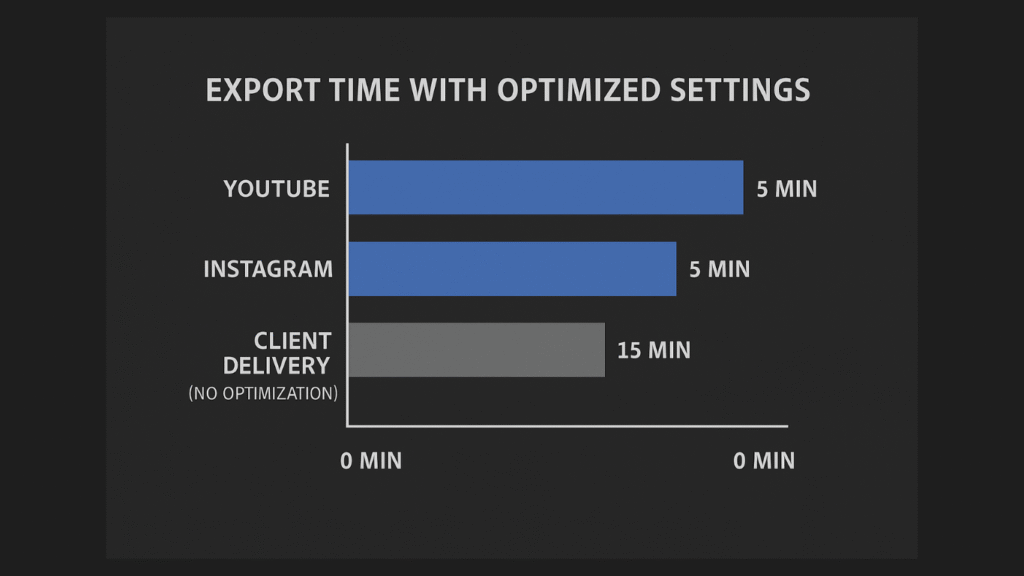
The second mistake most editors make? Overcomplicating export settings. You don’t need to customize every knob and slider for each project. Instead, build export presets.
For example:
- A YouTube preset (H.264, 1080p, high bitrate).
- A TikTok/Instagram preset (H.264, vertical 1080×1920).
- A client delivery preset (ProRes, higher quality).
Once you’ve saved these, exporting is as simple as: File → Export → Select Preset → Done.
Smart settings + Media Encoder = faster exports, less frustration, and more time creating.
9. Bonus Pro Tips for Speed
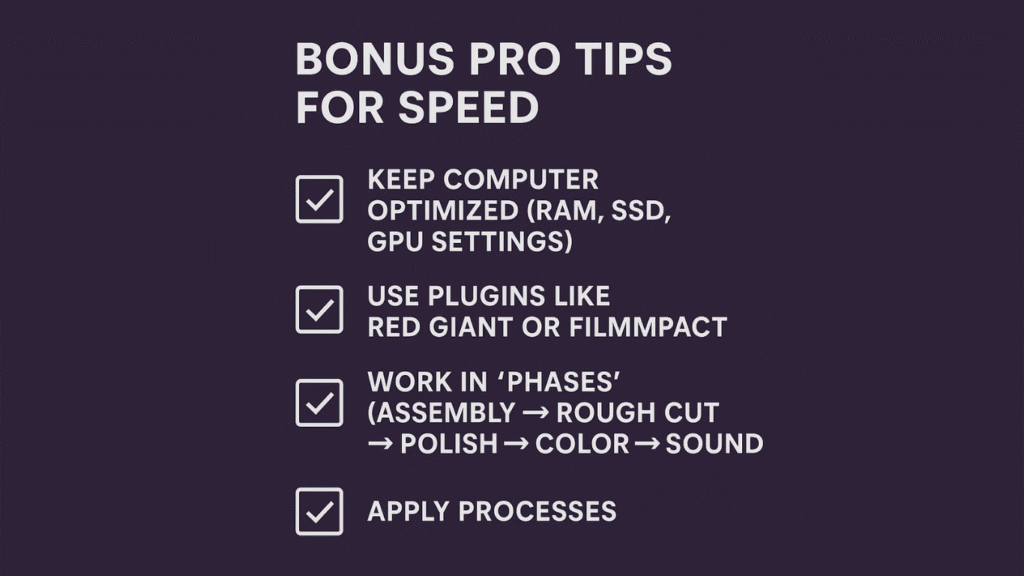
Want to squeeze out even more time savings? Here are a few extra pro tips most editors overlook:
- Optimize Your Computer: Editing on an old hard drive is like driving a Ferrari with flat tires. Use an SSD for media, max out your RAM, and enable GPU acceleration in Premiere’s settings. The difference in playback and rendering speed is night and day.
- Use Plugins: Tools like Red Giant Universe, FilmImpact, or Motion Bro can automate effects, transitions, and animations that would normally take you hours to build manually. Think of them as “cheat codes” for editing.
- Work in Phases: Don’t try to polish while you’re still assembling. Break editing into clear phases: rough cut → refine → color → audio → polish → export. This prevents endless backtracking and keeps you moving forward.
These aren’t just hacks—they’re habits that separate fast editors from frustrated ones.
10. Common Mistakes That Slow Down Editing
Even seasoned editors fall into traps that drag out the editing process. Here are the biggest culprits you should avoid:
- Overusing Effects: Just because Premiere Pro has hundreds of transitions and effects doesn’t mean you should stack them. Overloaded timelines don’t just look messy—they slow playback and export times dramatically. Keep it clean and purposeful.
- Editing Without a Plan: Jumping straight into the timeline without a rough cut or storyboard leads to endless trial and error. Instead, sketch your edit flow first. Having a roadmap means fewer detours and faster completion.
- Ignoring Proxies & Adjustment Layers: Working with 4K footage without proxies? You’re asking for choppy playback. Similarly, applying color corrections clip by clip instead of using an adjustment layer is a time sink. Proxies and adjustment layers are your secret weapons for smooth, efficient editing.
11. Best AI Tools for Video Editing in 2025
Even if you’ve mastered every Premiere Pro shortcut, some tasks still eat hours: trimming filler words, resizing for multiple platforms, generating subtitles, or creating B-roll. That’s where AI tools step in—they’re not just trendy, they’re productivity powerhouses that let you edit faster without sacrificing quality.
Here are the top AI tools every editor should know in 2025:
- Descript → Edit video like a document. Delete filler words, auto-generate captions, and even fix dialogue with AI overdub. Perfect for talking-head or tutorial content.
- Runway ML → Generate quick B-roll, remove objects, or modify scenes with a text prompt. No more tedious masking or reshoots.
- VEED.IO → Auto-captions, audio cleanup, and one-click resizing for YouTube, TikTok, or Instagram. Ideal for social-first content that needs to go live fast.
- Pictory AI → Turn long webinars, podcasts, or lectures into highlight clips instantly. No scrubbing through hours of footage.
- CapCut → Mobile-first editor with AI effects, auto captions, and trendy transitions for short-form content creators.
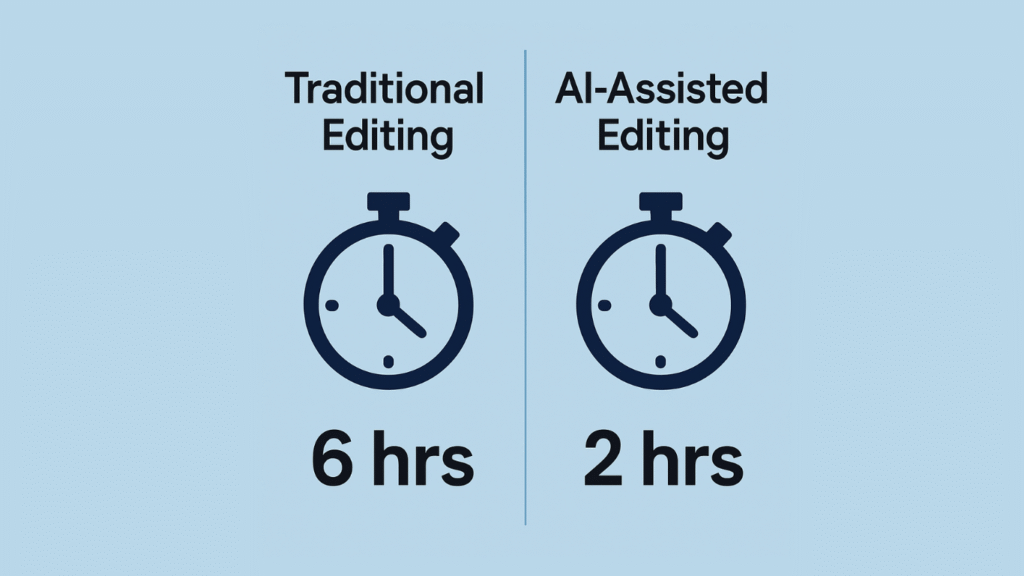
Pro tip: Use these AI tools alongside Premiere Pro’s workflow hacks. Let AI handle repetitive or time-consuming tasks, then refine your creative edits manually. That’s how modern editors cut projects from 6 hours down to 2 hours without losing quality.
12. When to Outsource Editing
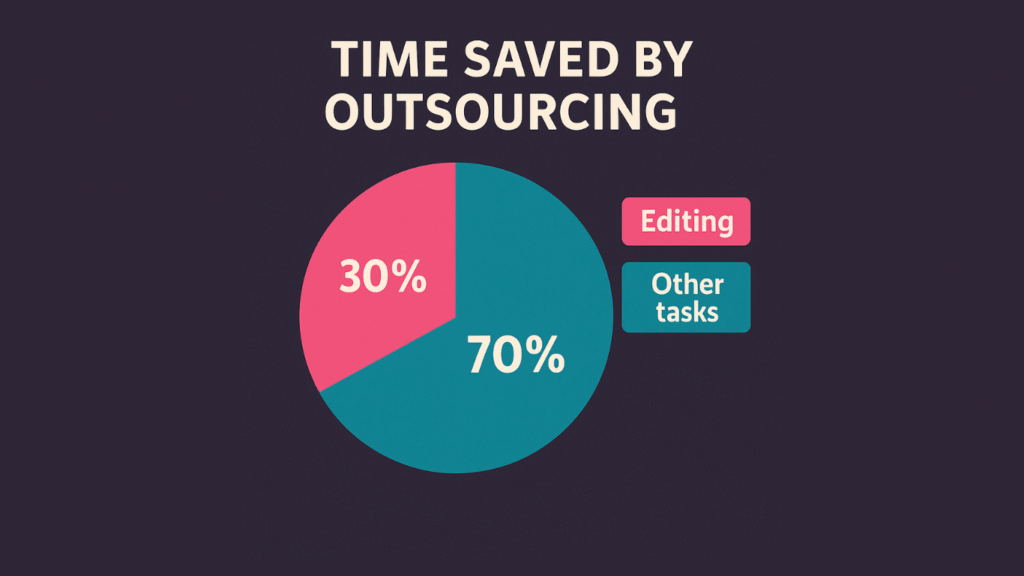
Here’s the harsh reality: even with the best shortcuts and workflow hacks, editing still takes time. And if you’re a creator, entrepreneur, or business owner, time is your most valuable asset.
So when should you consider outsourcing your edits?
- When editing eats too much of your week. If you’re spending 10+ hours editing instead of filming, strategizing, or growing your brand, it’s time to hand it off.
- When the repetitive tasks drain you. Cutting pauses, syncing audio, adding captions—these are important but don’t require your creative brainpower.
- When scaling is your goal. If you want to publish more content, serve more clients, or grow your channel faster, outsourcing helps you multiply output without burning out.
Think of outsourcing not as an expense but as an investment in creativity. By letting a professional editor handle the repetitive work, you free yourself to focus on storytelling, building your brand, and connecting with your audience.
The best creators know this: their genius is in ideas, not timelines. If editing feels like a bottleneck, outsourcing may be the smartest move you’ll ever make.
13. Conclusion + CTA
Editing faster isn’t about cutting corners—it’s about building a smarter workflow.
Let’s recap what we covered:
- Set up your workspace so you’re not hunting for tools.
- Master keyboard shortcuts to shave off wasted clicks.
- Organize with bins, labels, and proxies for smooth playback.
- Use timeline hacks, presets, and automation to save hours.
- Rely on LUTs, adjustment layers, and export presets for consistency.
Each of these steps alone can save you minutes. Combined, they can cut your editing time in half.
Here’s my advice: don’t try to overhaul everything at once. Pick one tip from this guide and apply it to your next project. Then add another. Within a few weeks, you’ll notice a dramatic difference—not just in speed, but in how effortless editing feels.
But here’s the truth: even the most optimized workflow has limits. If you’re a YouTuber, brand, or business owner who wants to scale content without burning hours in Premiere Pro, that’s where we come in.
At Helium Edits, we’re a done-for-you video editing agency that helps creators and businesses publish more content with less stress. Our team delivers fast turnarounds, professional quality, and edits that match your brand’s style—so you can focus on creating, not cutting.
👉 Ready to reclaim your time? Contact Helium Edits today and let us handle the editing while you focus on growth.